
Selecting a Date Range
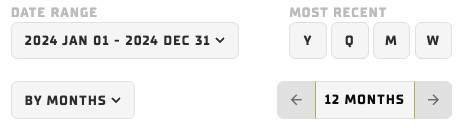
There are a few ways to access your desired time range. Select the “YYYY MMM DD – YYY MMM DD” control to open a date input tool, choosing the start date in the left box and the end date in the right date box. Alternatively, you can use the “Most Recent” options and the ← or → arrows to quickly select and shift a time period.
Using Other Data Filters (Accordions)
On the left-hand side of Diagnostics, you will notice there are a series of drop-downs. We call these accordions - these options are the primary way to filter and isolate data you’re interested in viewing. When an accordion is open, select any value to exclude or include that data. Click and drag on values to quickly exclude or include multiple values at once.
Customization Options
We narrow down your data to show select dimensions we think you’d like to filter, but if you’ve sent us the data, there’s high certainty we can add it here. Reach out to us if you'd like to add additional fields.