
⚠️ NOTE: this is an early access feature. The information in this article is likely to change. You may be required to update your configuration as we release new functionality or update our infrastructure.
Before you begin
The darkhorse.app SSO feature associates an email domain entirely with your organization's identity provider. This means any previously given darkhorse.app user credentials will not work, and users must sign in via Azure AD. Please ensure that any darkhorse.app users are granted access in Azure AD.
Known limitations
IdP-initiated sign-in is not supported by our authentication provider (AWS Cognito). This means that you will not be able to sign in by clicking a link in Azure AD - you must navigate directly to https://darkhorse.app and be redirected to Azure AD to sign in.
Migrating your organization to SSO is currently a manual process. Once we have your information, please allow a few days for us to make the necessary changes to ensure you don't lose access.
Setup instructions
1. Go to https://portal.azure.com
2. Search for "Enterprise applications"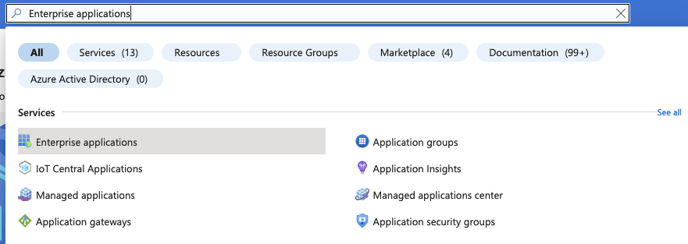
3. Choose "New Application"
4. Choose "Create your own application"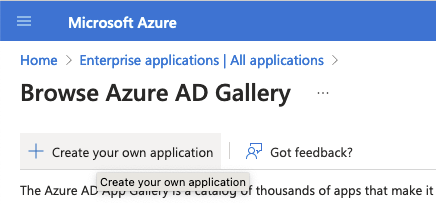
5. Name your app and choose "Non-gallery"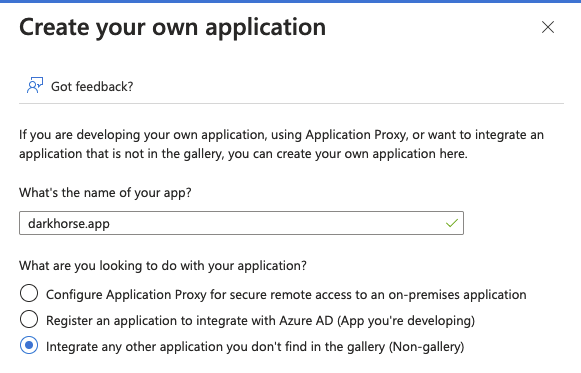
6. Choose "Set up Single sign-on"
7. Choose "SAML"
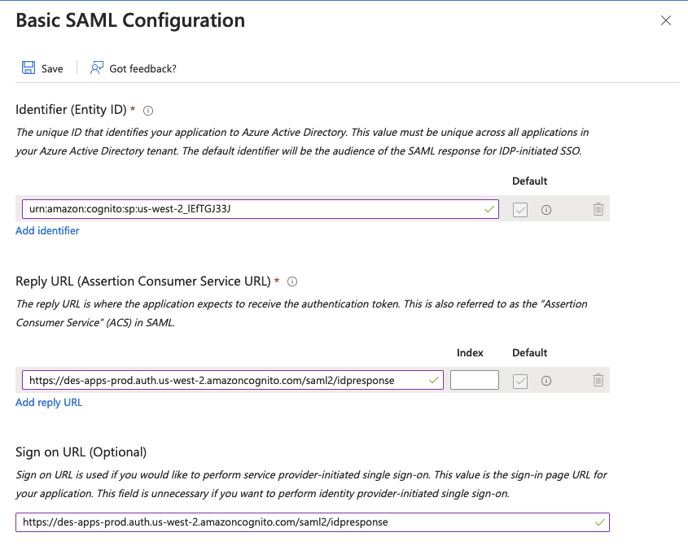
8. Edit the "Basic SAML configuration"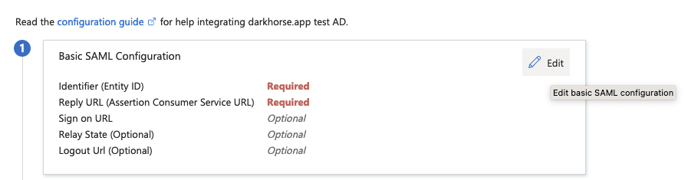
9. Fill in the following values and then hit "Save":
Identifier: urn:amazon:cognito:sp:us-west-2_lEfTGJ33J
Reply URL: https://des-apps-prod.auth.us-west-2.amazoncognito.com/saml2/idpresponse
Sign on URL: https://des-apps-prod.auth.us-west-2.amazoncognito.com/saml2/idpresponse
NOTE: Azure AD says the sign-on URL is optional, but it's mandatory for darkhorse.app
10. Choose "Edit attributes and claims"
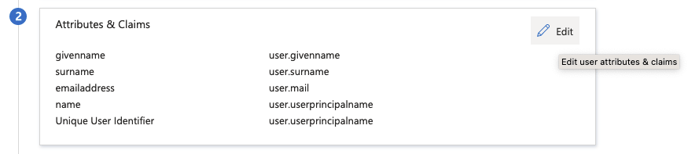
11. Ensure that https://schemas.xmlsoap.org/ws/2005/05/identity/claims/emailaddress is being sent. The others are optional.

12. Copy the metadata URL and send this value to support@darkhorseemergency.com
13. Add appropriate users to the Azure application. Users who are not added to the Azure application will not be able to access Darkhorse apps.