
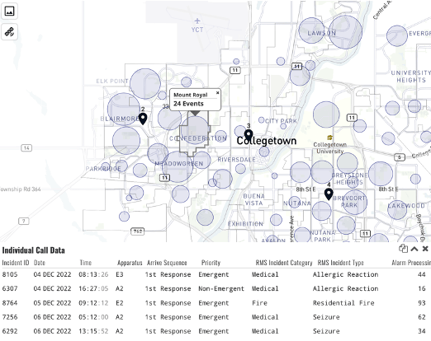
Selecting an area on the map will bring up the Individual Call Data table. This table allows you to closer inspect the data that is populating the app. Scroll to the right to see more columns. Select Selecting the copy icon ( ) will copy all the data in that table to your clipboard, which can be pasted into a spreadsheet.
Customization Options
We narrow down your data to show select columns in this table, but if you like other fields to be available here, we can customize that.